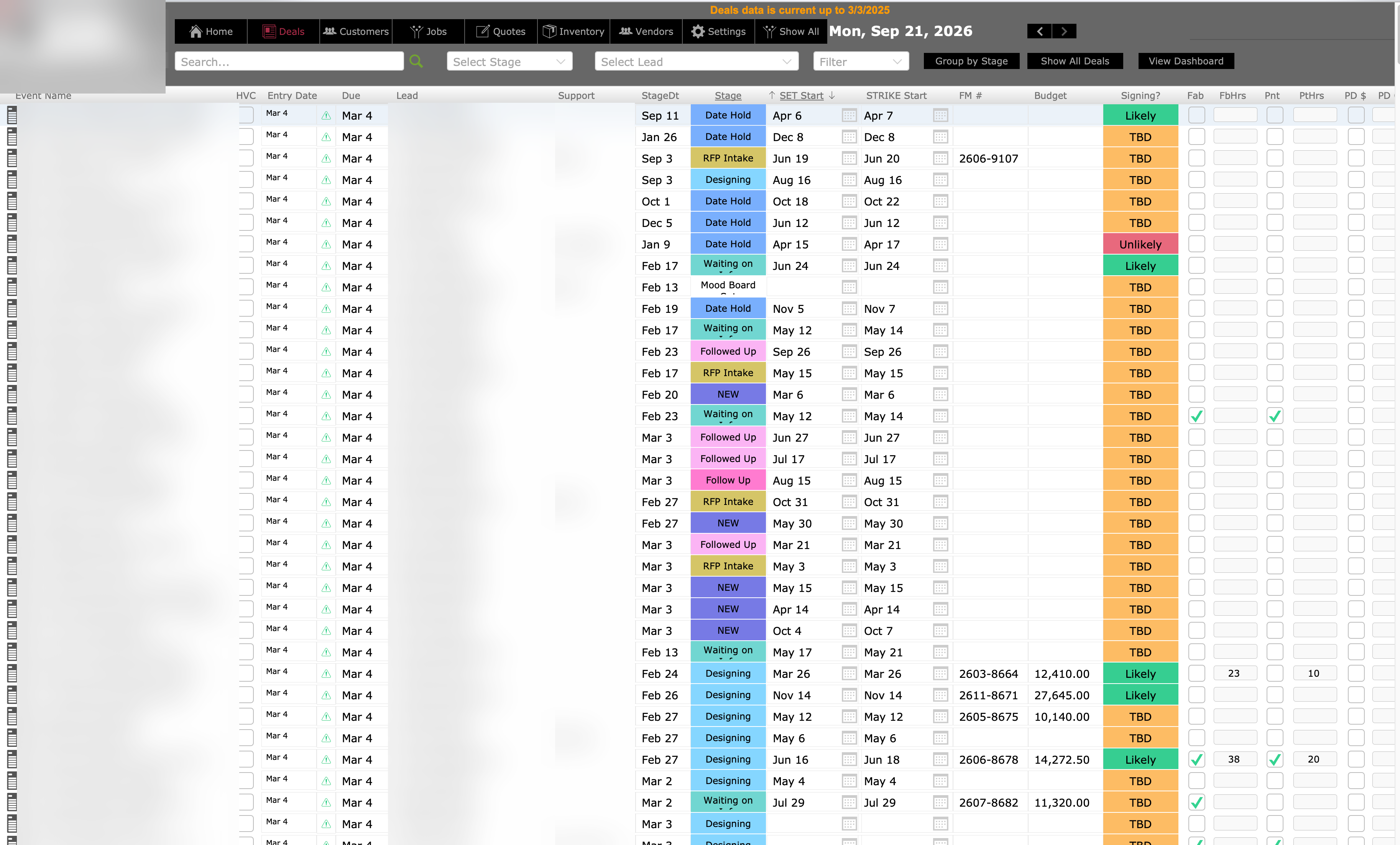
The FileMaker Deals screen: a dense, heavily-formatted list of event rows with color-coded stage and signing columns. Client and staff names are blurred. This view took roughly 46 seconds to draw.
Before: the FileMaker list, about 46 seconds to draw.
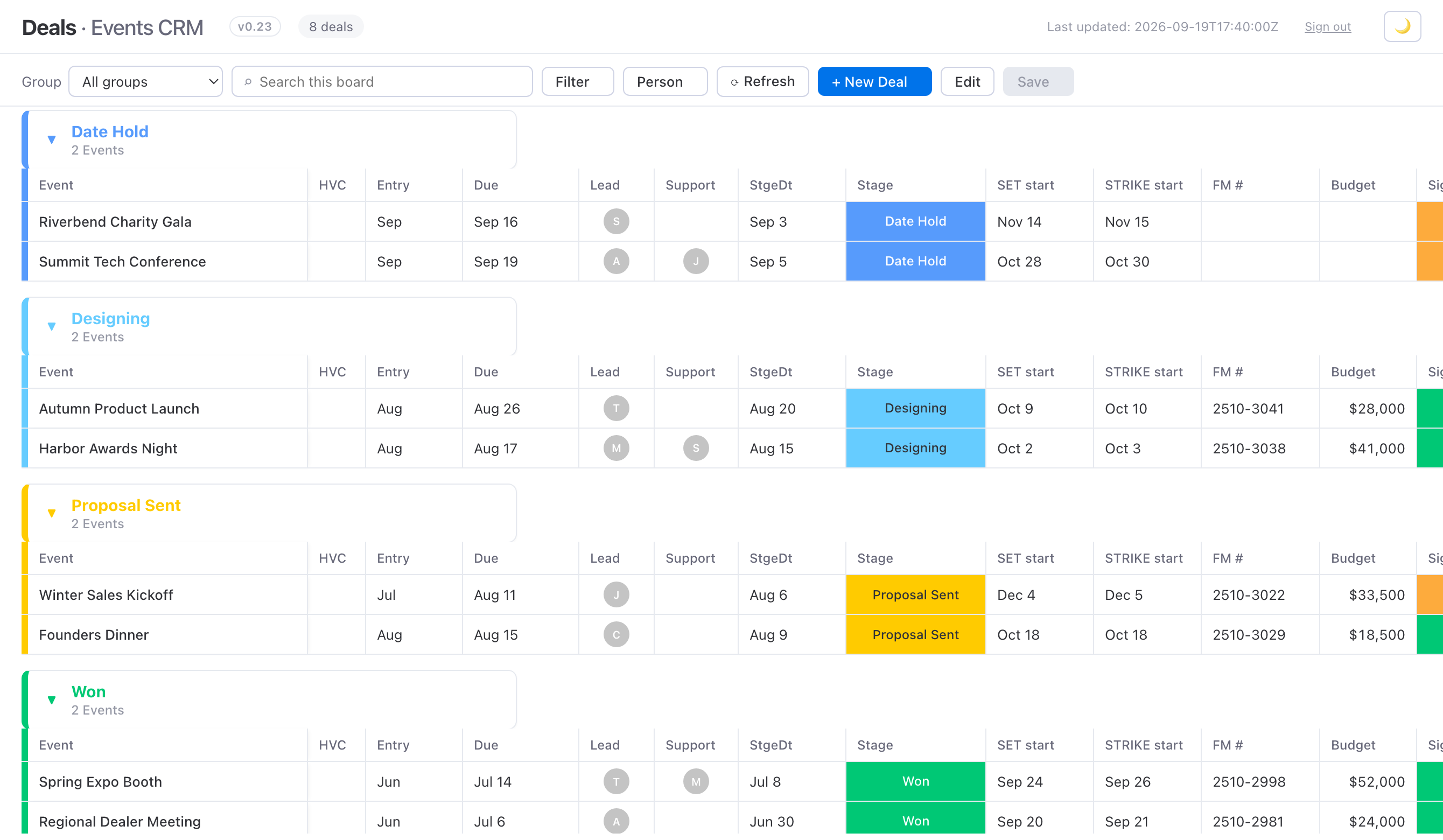
The same Deals data rebuilt as a fast web page: a clean board grouped by stage, color-coded, that loads instantly in a browser.
After: the same data as a web page. Loads instantly.
Event production

46 seconds to instant.

The deals list everyone clicked twenty times a day, rebuilt as a web page on the same FileMaker data. Edits go back to FileMaker, which keeps the real records.

When FileMaker gets slow
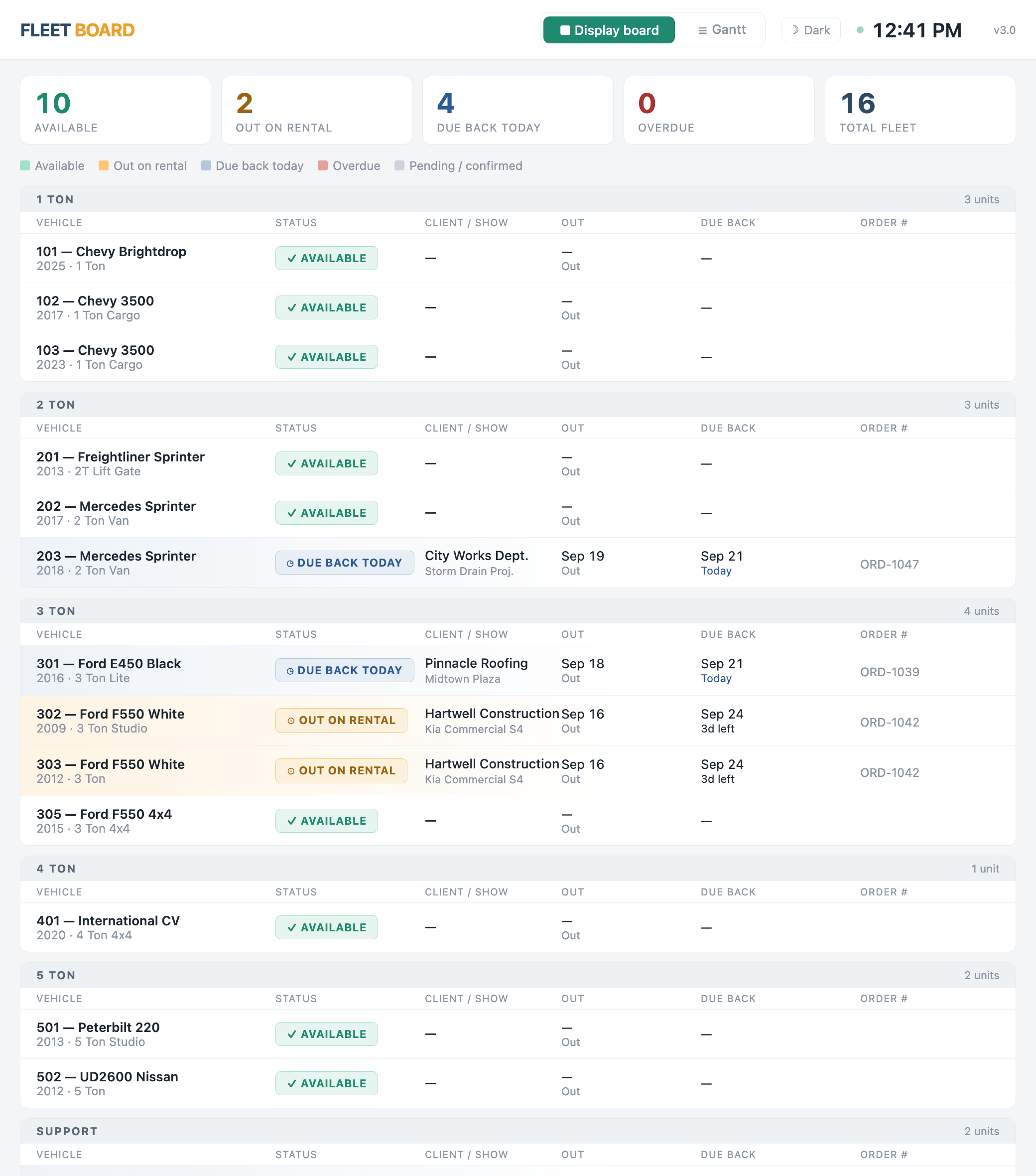
A fleet board: vehicles grouped by size (1-ton through 5-ton and support), each row showing status — available, out on rental, or due back today — with client, out and due-back dates, and order number. Ten available, two out, four due back today, sixteen total.
Equipment rental

The whole fleet, at a glance.

Where each vehicle is, who has it and when it's due back, live from FileMaker.

“Just looked at the fleet board. This looks perfect.” — Operations lead

Dashboards that get used
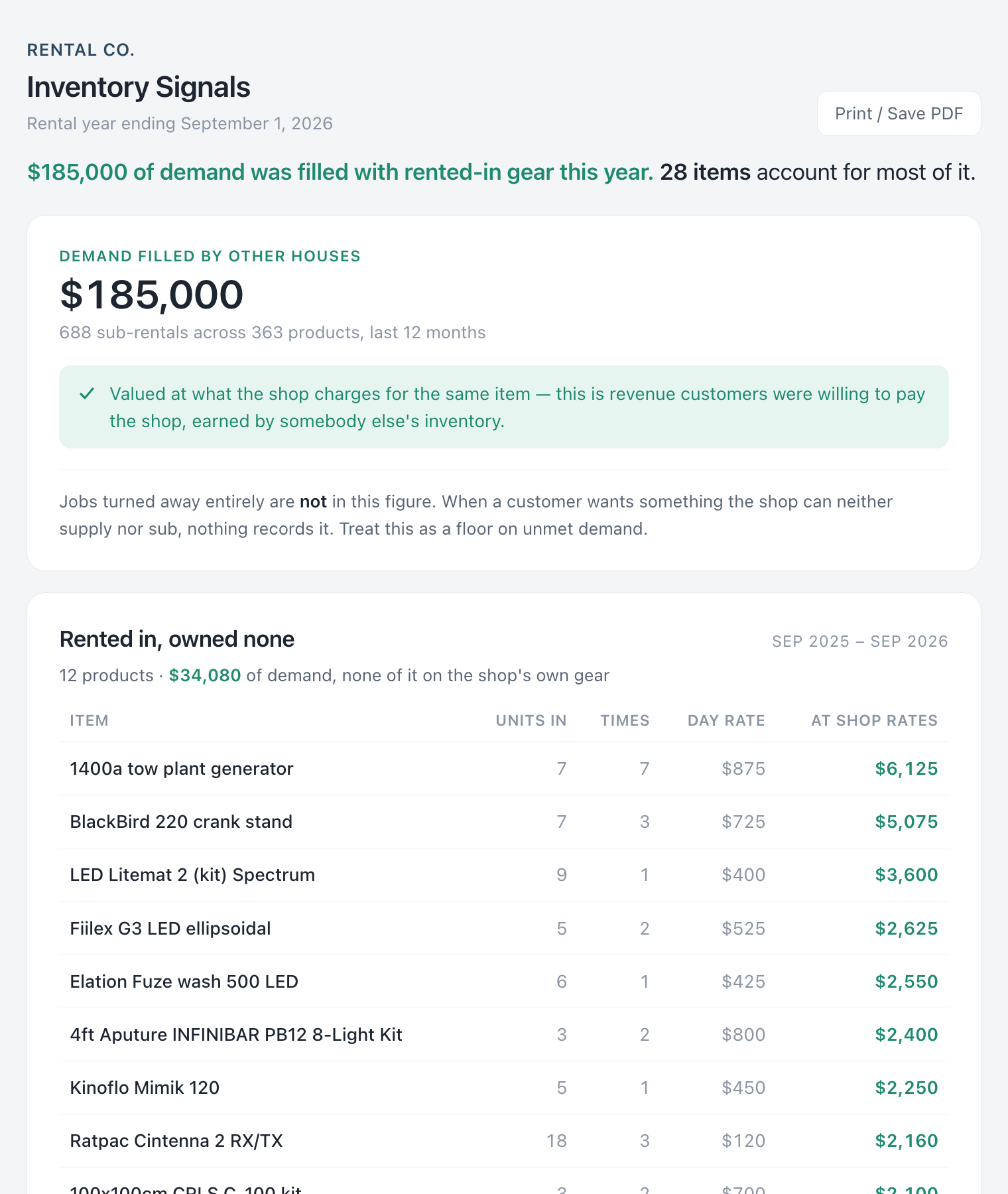
An inventory signals page: a headline that $185,000 of demand was filled with rented-in gear this year, then a ranked table of items the shop rented in but owns none of — item, units in, times, day rate, and value at the shop's own rates. The list you check before writing a purchase order.
Equipment rental

What to buy, what to sell.

$185,000 of rentals in a year were filled with gear rented in from other houses. A ranked list from rental history, checked before writing a purchase order.

Dashboards that get used
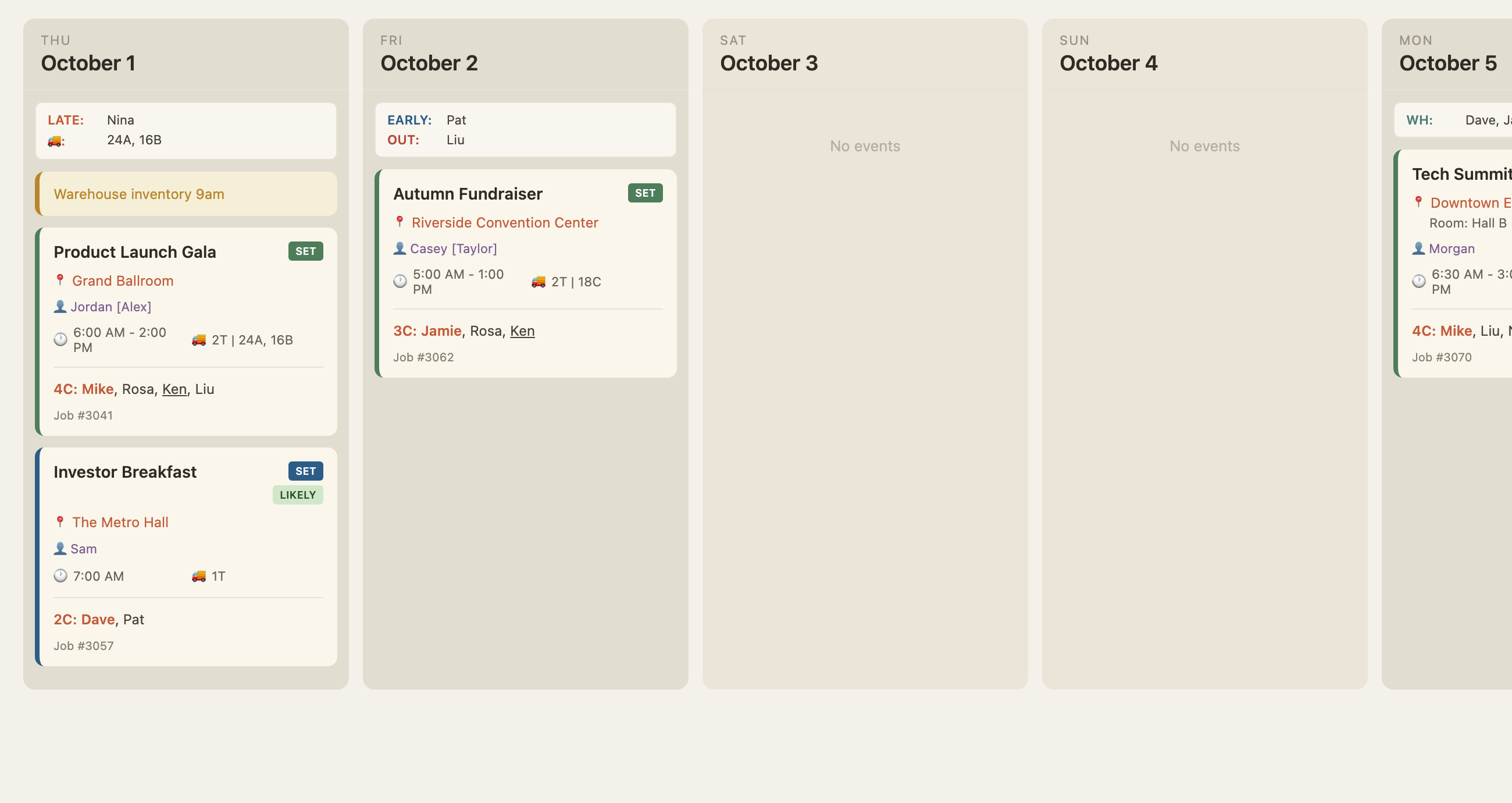
A crew schedule board, one column per day: each event card shows the venue, the producer, setup time, trucks assigned, and the named crew — with per-day exceptions across the top (who's arriving late, who's out, warehouse crew, trucks). One place to update, one place to read.
Event production

The shared spreadsheet is gone.

Crew get assigned to jobs in FileMaker, and each crew member reads their next assignment on their phone. One place to update, one place to read.

Dashboards that get used
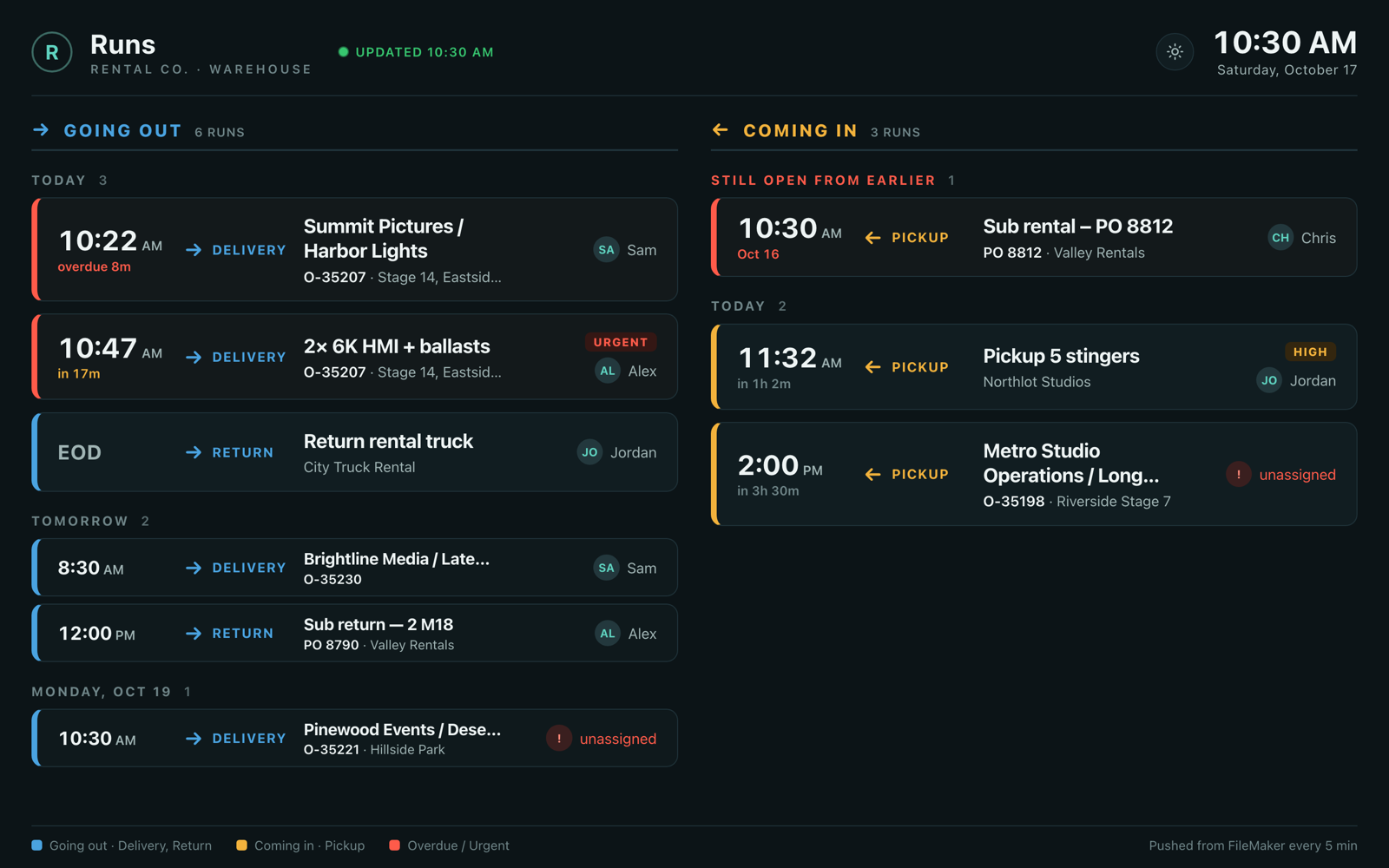
A warehouse runs board in dark mode: going out on the left (deliveries and returns) and coming in on the right (pickups), grouped by today, tomorrow and later. Each run shows the time, direction, client and job or location, and the driver; overdue runs are marked in red, urgent and high-priority runs are tagged, and unassigned runs are flagged.
Equipment rental

What's going out, what's coming in.

One warehouse screen for the day's runs, anything late in red. It reads straight from FileMaker.

Dashboards that get used
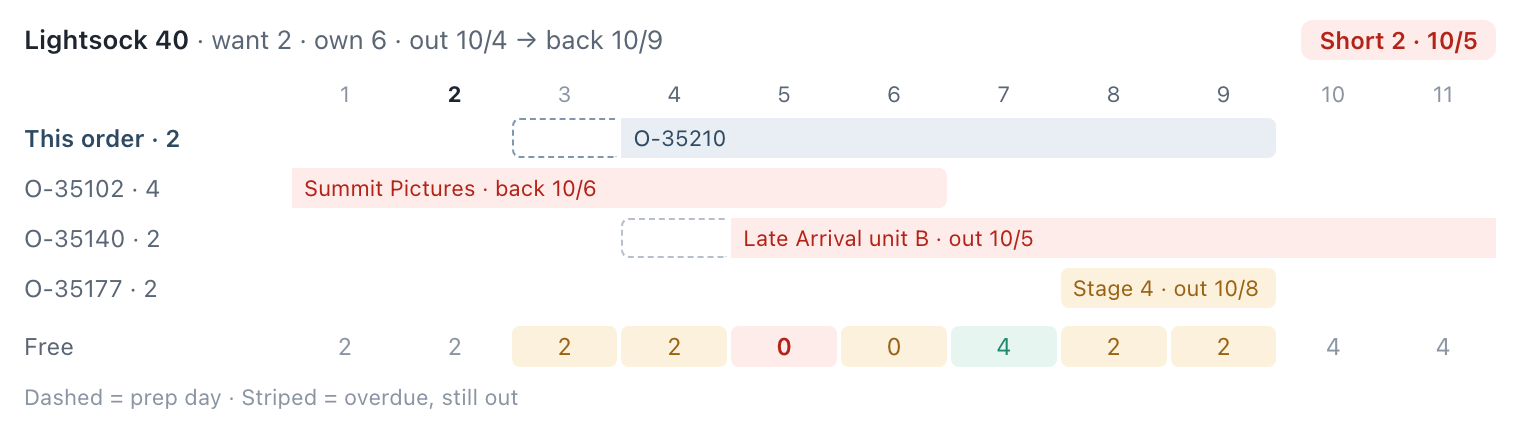
An availability check for one order line: the item wants 2 of 6 owned, and the verdict reads Short 2 on 10/5. A day-by-day timeline shows this order and every other order holding the item, and a Free row counts the units left each day, shaded for tight and short days.
Equipment rental

Can we cover that order?

A pop-up on the order line in FileMaker checks every other booking of the item, day by day, and gives a one-word answer.
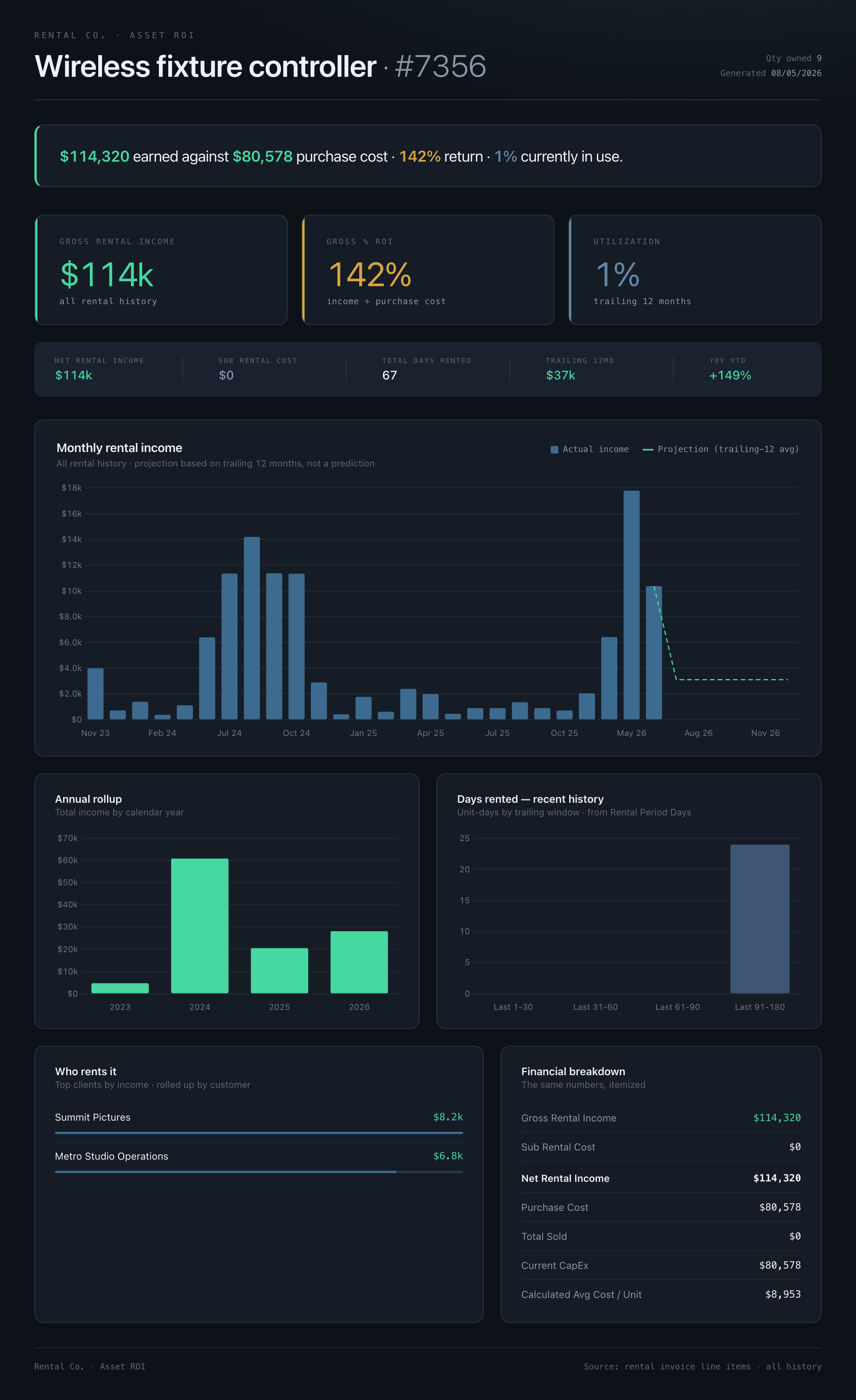
A single-asset ROI dashboard: a headline that one product has earned $114,320 against $80,578 of purchase cost — a 142% return — then gross rental income, ROI, and utilization, a monthly-income chart with a trailing-12-month projection, an annual rollup, days-rented history, the top clients who rent it, and a financial breakdown.
Equipment rental

Is this item paying for itself?

Income against purchase cost over the item's whole life, with its best customers. The number behind "buy another" and "sell it off."

Dashboards that get used
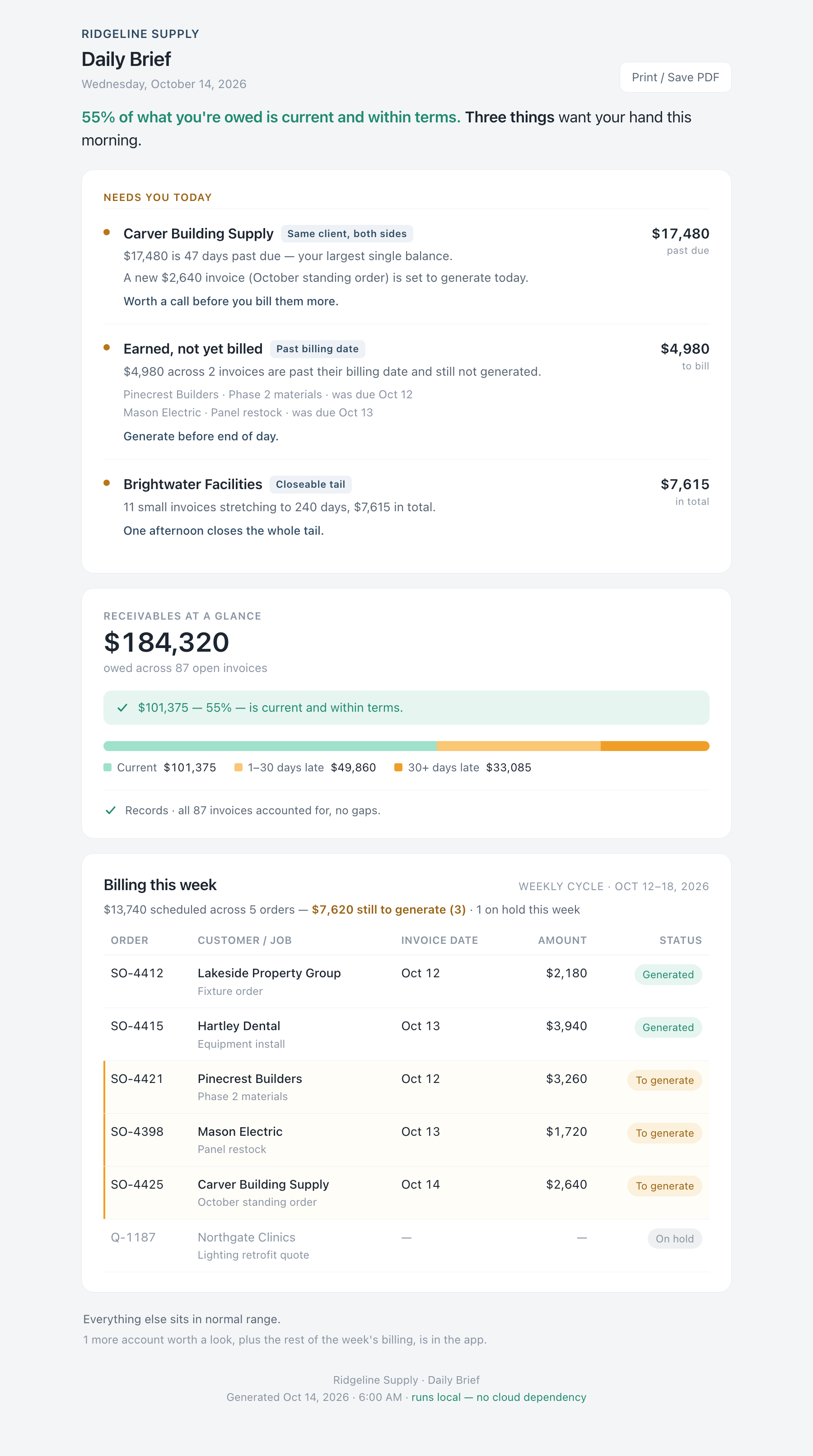
A morning brief. It opens with a one-line verdict — 55% of what you're owed is current, three things want your hand — then a 'Needs you today' card: a client that's both overdue and about to be billed again, invoices earned but not yet generated, and a closeable tail of small invoices. Below that, receivables at a glance with an aging bar, and the week's billing as a short table. A footer notes it runs local with no cloud dependency.
Supply company

The morning brief.

What needs a hand today, then what's owed and what's billed. Built overnight from the FileMaker data; nothing to log into.

The Daily Brief
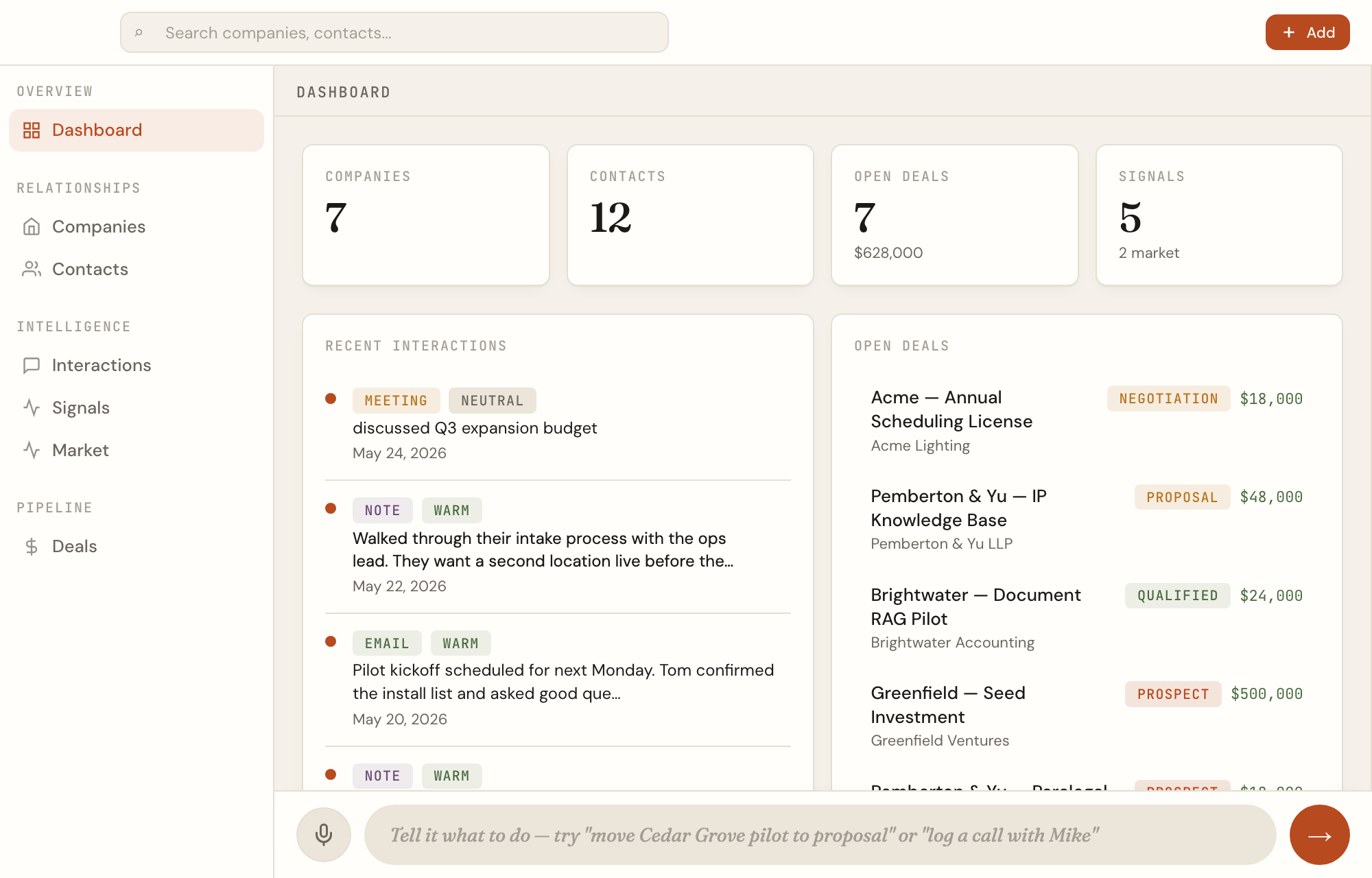
A working relationship dashboard with a single command bar across the bottom: a microphone icon and a text box reading 'Tell it what to do — try "move the pilot to proposal" or "log a call."' The one bar takes a typed or spoken question and acts on the data behind the screen.
Relationship tracking

Ask it a question.

One box and a microphone. Type the question or say it; the answer comes back from the real data.

Ask it a question